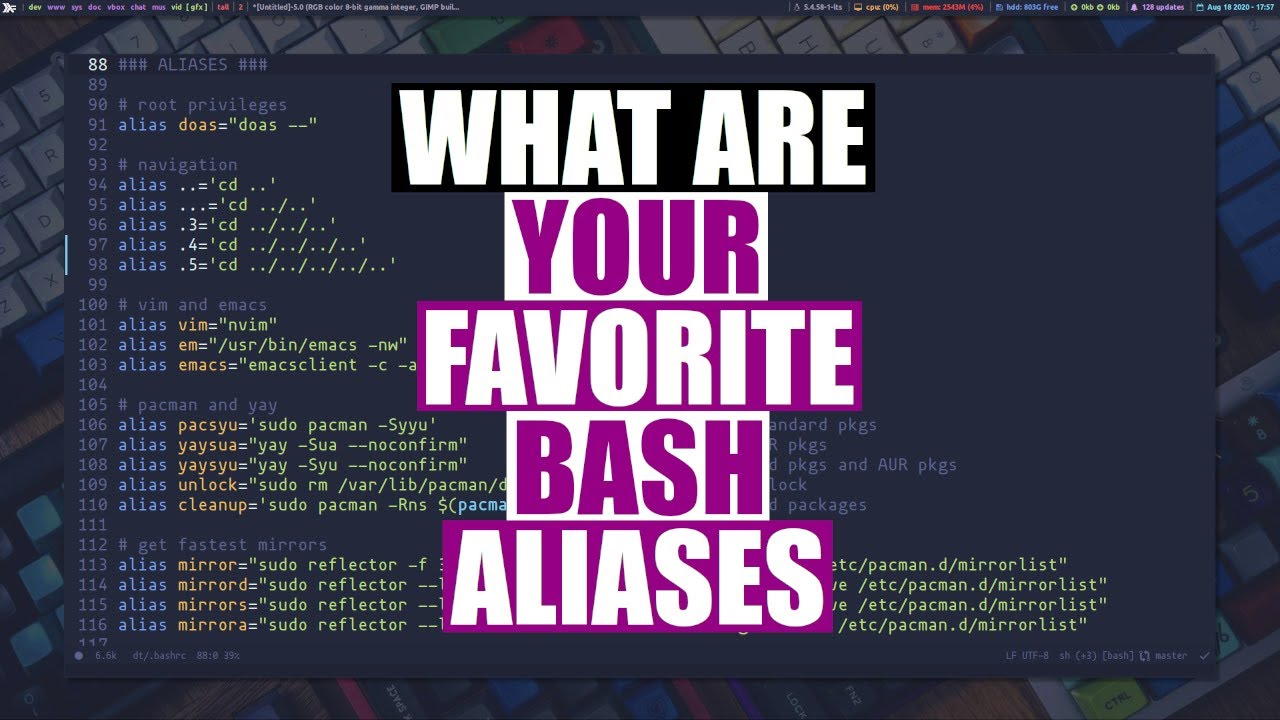
Let's Share Our Favorite Bash Aliases DistroTube
video description
Date: 2022-03-30
Related videos


Comments and reviews: 10
Marco
alias ip=-export IP=curl --silent ifconfig.me; echo $IP-
alias C='cd -/Code'
alias D='cd -/Desktop'
alias L='cd -/Downloads'
alias F='open .' # to open macOS Finder at current dir
alias vb='vim -/.bashrc -/.inputrc -/.bash_profile'
alias sb='exec $SHELL'
alias h='history'
alias l='exa -1' # list without info
alias ll='exa -l' # list with info
alias la='exa -l -a' # list all files
alias l.='exa -ld .-' # list hidden files
alias lt='exa -l --sort=modified' # list sorted by time
alias lD='exa -l -D' # list directories
alias lS='exa -l --sort=size' # list sorted by size
alias lT='exa -l -T' # list as tree
and in my .inputrc
--:'\C-e \C-ucd ..\C-m'
which replaces completely this
alias ..='cd ..'
alias ...='cd ../..'
alias ....='cd ../../..'
alias .....='cd ../../../..'
alias ......='cd ../../../../..'
which I had before in my bashrc
I have more commands in my inputrc for example to surround words or the whole line with ( ), [ ], < >, - -, ' ', - -, $(), $--
regarding the l. alias, I would like to know which advantages your version with egrep has compared to mine? thanks for your videos
reply
alias ip=-export IP=curl --silent ifconfig.me; echo $IP-
alias C='cd -/Code'
alias D='cd -/Desktop'
alias L='cd -/Downloads'
alias F='open .' # to open macOS Finder at current dir
alias vb='vim -/.bashrc -/.inputrc -/.bash_profile'
alias sb='exec $SHELL'
alias h='history'
alias l='exa -1' # list without info
alias ll='exa -l' # list with info
alias la='exa -l -a' # list all files
alias l.='exa -ld .-' # list hidden files
alias lt='exa -l --sort=modified' # list sorted by time
alias lD='exa -l -D' # list directories
alias lS='exa -l --sort=size' # list sorted by size
alias lT='exa -l -T' # list as tree
and in my .inputrc
--:'\C-e \C-ucd ..\C-m'
which replaces completely this
alias ..='cd ..'
alias ...='cd ../..'
alias ....='cd ../../..'
alias .....='cd ../../../..'
alias ......='cd ../../../../..'
which I had before in my bashrc
I have more commands in my inputrc for example to surround words or the whole line with ( ), [ ], < >, - -, ' ', - -, $(), $--
regarding the l. alias, I would like to know which advantages your version with egrep has compared to mine? thanks for your videos
reply
zeppelin1001
This is quite belated, but here are some of my favorite aliases (and a few functions):
# Launch TMUX with 1 pane on top & bottom & focus on the bottom one
alias tmv='tmux new-session \; split-window -v \; rename-window -Unnamed- \; attach'
alias rcp='rsync -azP '
alias q='exit'
alias sai='sudo apt install '
alias sau='sudo apt update '
alias aptuu='sudo apt update && apt list --upgradable && sudo apt upgrade'
alias editzsh='vim -/.zshrc'
alias reloadzsh='exec zsh'
alias editaliases='vim -/.zsh_aliases'
alias reloadaliases='source -/.zsh_aliases'
alias edithistory='vim -/.zsh_history'
alias nolog='setopt HIST_IGNORE_SPACE'
alias ccat=-highlight --out-format=ansi-
# ripgrep - far superior to grep and ag
alias rgi='rg -i'
# -Search Flag- - search command x's man page for switch y
# Example: 'sf x y'
function sf -
-mycmd=-LESS='+/-$2' man $1-
--# echo -command: $mycmd-
--eval $mycmd
--
reply
This is quite belated, but here are some of my favorite aliases (and a few functions):
# Launch TMUX with 1 pane on top & bottom & focus on the bottom one
alias tmv='tmux new-session \; split-window -v \; rename-window -Unnamed- \; attach'
alias rcp='rsync -azP '
alias q='exit'
alias sai='sudo apt install '
alias sau='sudo apt update '
alias aptuu='sudo apt update && apt list --upgradable && sudo apt upgrade'
alias editzsh='vim -/.zshrc'
alias reloadzsh='exec zsh'
alias editaliases='vim -/.zsh_aliases'
alias reloadaliases='source -/.zsh_aliases'
alias edithistory='vim -/.zsh_history'
alias nolog='setopt HIST_IGNORE_SPACE'
alias ccat=-highlight --out-format=ansi-
# ripgrep - far superior to grep and ag
alias rgi='rg -i'
# -Search Flag- - search command x's man page for switch y
# Example: 'sf x y'
function sf -
-mycmd=-LESS='+/-$2' man $1-
--# echo -command: $mycmd-
--eval $mycmd
--
reply
Friki
Could you do a related how to ... list the most frequently used apps and shell commands. When I reviewed and updated keybindings and aliases I really wanted an objective, reliable list of what I should prioritise. Problems I faced were: (1) for freq apps, found a few packages that will monitor it but they're either out if date or seem heavy resource users (2) for freq shell commands I messed with my shell history (set to 10,000) but I use several shells (tmux and terminator, xfce-terminal, zsh, xrvt) and the thought of wrangling all those made me have a nap instead. BTW little bit in love with DT, in the UK but ... DT for Whitehouse!
reply
Could you do a related how to ... list the most frequently used apps and shell commands. When I reviewed and updated keybindings and aliases I really wanted an objective, reliable list of what I should prioritise. Problems I faced were: (1) for freq apps, found a few packages that will monitor it but they're either out if date or seem heavy resource users (2) for freq shell commands I messed with my shell history (set to 10,000) but I use several shells (tmux and terminator, xfce-terminal, zsh, xrvt) and the thought of wrangling all those made me have a nap instead. BTW little bit in love with DT, in the UK but ... DT for Whitehouse!
reply
Fox
Actually those are in my /etc/bash.bashrc so that I can use them with several accounts (or as root after a sudo -i) :
alias grep='grep --color=auto'
alias ls='ls --color=auto'
alias ll='ls -AlFh --group-directories-first'
alias cp='cp -i'
alias rm='rm -I'
alias mv='mv -i'
alias fname='find . -name'
alias grepr='grep -Ri'
alias ping='ping -4'
alias j='journalctl'
alias jb='j -b'
alias jf='j -fn 500'
alias s='systemctl'
alias etc='etckeeper'
alias pac-clean='pacman -Rns $(pacman -Qtdq)'
In my usual user .bashrc, I just have :
alias sudo='sudo '
reply
Actually those are in my /etc/bash.bashrc so that I can use them with several accounts (or as root after a sudo -i) :
alias grep='grep --color=auto'
alias ls='ls --color=auto'
alias ll='ls -AlFh --group-directories-first'
alias cp='cp -i'
alias rm='rm -I'
alias mv='mv -i'
alias fname='find . -name'
alias grepr='grep -Ri'
alias ping='ping -4'
alias j='journalctl'
alias jb='j -b'
alias jf='j -fn 500'
alias s='systemctl'
alias etc='etckeeper'
alias pac-clean='pacman -Rns $(pacman -Qtdq)'
In my usual user .bashrc, I just have :
alias sudo='sudo '
reply
Bruno
i did the cd alias different, here is my suggestion:
function cd_up () - cd $(printf -%0.s../- $(seq 1 $')); -
alias 'cd..'='cd_up'
This allows me to do cd..X, where X is the number of dirs I want to go up.
Also, i to all my arch users friends, you must remember to deal with all .pacnew and .pacsave files, so I did:
alias 'sudo pacman -Syu'='sudo pacman -Syu && pacdiff'
alias 'yay' = 'yay && pacdiff'
Where pacdiff will show you what needs to be fixed before you reboot your machine and find out that you broke something :)
reply
i did the cd alias different, here is my suggestion:
function cd_up () - cd $(printf -%0.s../- $(seq 1 $')); -
alias 'cd..'='cd_up'
This allows me to do cd..X, where X is the number of dirs I want to go up.
Also, i to all my arch users friends, you must remember to deal with all .pacnew and .pacsave files, so I did:
alias 'sudo pacman -Syu'='sudo pacman -Syu && pacdiff'
alias 'yay' = 'yay && pacdiff'
Where pacdiff will show you what needs to be fixed before you reboot your machine and find out that you broke something :)
reply
Joe
Reflector is actually very useful. Just last week my system was giving me errors that is couldn't find a mirror. Sometimes mirrors go down. I was updating many packages and I didn't want to look at and wait for all those errors for every package. Just yesterday I was installing some packages and the download speeds were really slow. By stopping my install and quickly running reflector I updated to the fastest most recent updated mirrors in my country and then restarted my installation. If I had not it would have taken 3 times as long.
reply
Reflector is actually very useful. Just last week my system was giving me errors that is couldn't find a mirror. Sometimes mirrors go down. I was updating many packages and I didn't want to look at and wait for all those errors for every package. Just yesterday I was installing some packages and the download speeds were really slow. By stopping my install and quickly running reflector I updated to the fastest most recent updated mirrors in my country and then restarted my installation. If I had not it would have taken 3 times as long.
reply
balmar3
By far the most used, to find the files you manipulated the latest: alias lt 'ls -all -rt'
Quick hint to find repeated or oversize files: alias lt 'ls -all -rt'
Vimdiff without accidentally writing the files: alias lessdiff 'vimdiff -R -M'
I also remap -less- to a script that invokes Vim with some handy keymappings and read-only mode.
And restrict -locate- to my home by this script which I call -hloc- : locate -$-- - awk ' /-\/home/ -print $0-'
reply
By far the most used, to find the files you manipulated the latest: alias lt 'ls -all -rt'
Quick hint to find repeated or oversize files: alias lt 'ls -all -rt'
Vimdiff without accidentally writing the files: alias lessdiff 'vimdiff -R -M'
I also remap -less- to a script that invokes Vim with some handy keymappings and read-only mode.
And restrict -locate- to my home by this script which I call -hloc- : locate -$-- - awk ' /-\/home/ -print $0-'
reply
Full
# Alias definitions.
# You may want to put all your additions into a separate file like
# -/.bash_aliases, instead of adding them here directly.
# See /usr/share/doc/bash-doc/examples in the bash-doc package.
if [ -f -/.bash_aliases ]; then
. -/.bash_aliases
fi
if [ -f -/.bash_functions ]; then
. -/.bash_functions
fi
reply
# Alias definitions.
# You may want to put all your additions into a separate file like
# -/.bash_aliases, instead of adding them here directly.
# See /usr/share/doc/bash-doc/examples in the bash-doc package.
if [ -f -/.bash_aliases ]; then
. -/.bash_aliases
fi
if [ -f -/.bash_functions ]; then
. -/.bash_functions
fi
reply
Ju
# most cpu intensive processes
ps -eo pid,ppid,cmd,%mem,%cpu --sort=-%cpu - head
# get PID of any program by clicking on the window
alias getpid='xprop _NET_WM_PID - cut -d- - -f3'
# GIT
alias gs='git status'
alias gc='git commit -m'
alias gp='git push'
alias ga='git add'
alias grm='git rm'
reply
# most cpu intensive processes
ps -eo pid,ppid,cmd,%mem,%cpu --sort=-%cpu - head
# get PID of any program by clicking on the window
alias getpid='xprop _NET_WM_PID - cut -d- - -f3'
# GIT
alias gs='git status'
alias gc='git commit -m'
alias gp='git push'
alias ga='git add'
alias grm='git rm'
reply
wvovaw
# Weather:
alias wea='clear;curl wttr.in/$LOCATION'
alias wea2='curl -s -wttr.in/$LOCATION?format=2-'
alias wea3='clear;curl v2d.wttr.in/$LOCATION'
# Dir hopping:
alias src='cd -/Sources'
# Make:
alias smci='sudo make clean install'
reply
# Weather:
alias wea='clear;curl wttr.in/$LOCATION'
alias wea2='curl -s -wttr.in/$LOCATION?format=2-'
alias wea3='clear;curl v2d.wttr.in/$LOCATION'
# Dir hopping:
alias src='cd -/Sources'
# Make:
alias smci='sudo make clean install'
reply
Add a review, comment
Other channel videos