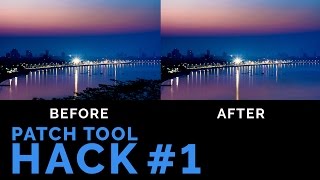
we are going to learn how to add mood to your images and create dramatic lighting in Photoshop in less than a minute. Whether you want a sunset or a sunrise effect or you desire to achieve a certain emotion through your images, this technique will make it really simple for you to do so without going into any filters or adjustments.
Have you ever wanted your landscape images to look more dramatic? Like having more vivid colors and contrasts but in an artistic way? Maybe you have clicked some amazing portraits and you want to add a little bit of tint to it. If you have an image and you want to create mood, atmosphere, and brilliant lighting without spending hours and hours in Photoshop and getting professional results, using this method, you can do them all.
In this short video, we'll learn how to add dramatic and vivid colors, how to increase or decrease color and add tint, create mood and atmosphere, add brilliant lighting and contrast just by using and changing layer blend modes. This process will make your images pop by making colors more vibrant. We won't be using any photo filters, presets, adjustment tools, templates or color balance. It's a simple three-step process to intensify the mood of the image. Your images will be ready to upload to Instagram with this amazing filter right inside of Photoshop. Totally customizable!
If you have any questions, suggestions or feedback, let me know in the comments below and I'll get back to you Date: 2022-07-19