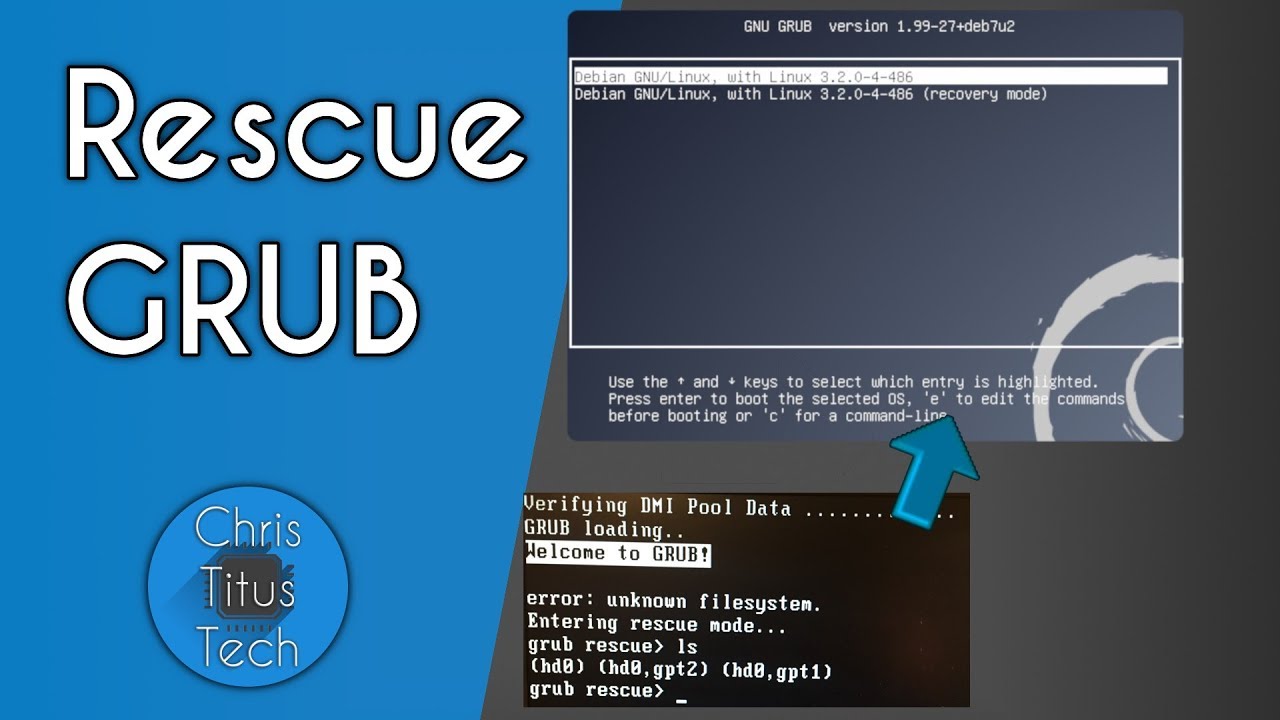
GRUB Rescue - Repairing GRUB - Chris Titus Tech
video description
Date: 2022-03-20
Related videos


Comments and reviews: 10
TilTheBreakADawn
I seem to have an unsolvable issue no one else has. Nothing is in my (hd0, msdos1) or (hd0, msdos2) partitions. When I list the contents I get the message, -filesystem is unknown-. The 3rd partition is (proc) and when I list the contents I just get -Filesystem is procfs-. And the road ends there. I can not set this as the root directory.
BACKGROUND: I had a dual boot Windows 10 and Manjaro. The Windows 10 update knocked out Manjaro and I was in the midst of successfully installing from the Manjaro .iso. But I noticed that Manjaro had taken over all but some 400MB of my hard drive space (regular hard drive and not a SSD) and I only later learned about how to manually extend the Windows partition space. Bottom line: Now Windows 10 doesn't have enough space to boot and Manjaro has gone to Grub Rescue and will not recognize the .iso from the USB. I'm on a Dell Lattitude and FINE with reformatting the hard drive if I could access an OS. Any sound suggestions would be appreciated!
reply
I seem to have an unsolvable issue no one else has. Nothing is in my (hd0, msdos1) or (hd0, msdos2) partitions. When I list the contents I get the message, -filesystem is unknown-. The 3rd partition is (proc) and when I list the contents I just get -Filesystem is procfs-. And the road ends there. I can not set this as the root directory.
BACKGROUND: I had a dual boot Windows 10 and Manjaro. The Windows 10 update knocked out Manjaro and I was in the midst of successfully installing from the Manjaro .iso. But I noticed that Manjaro had taken over all but some 400MB of my hard drive space (regular hard drive and not a SSD) and I only later learned about how to manually extend the Windows partition space. Bottom line: Now Windows 10 doesn't have enough space to boot and Manjaro has gone to Grub Rescue and will not recognize the .iso from the USB. I'm on a Dell Lattitude and FINE with reformatting the hard drive if I could access an OS. Any sound suggestions would be appreciated!
reply
Nicolas
For those with UEFI system:
also have to mount the efi, in my case I did:
mount /dev/sda3 /mnt
mount /dev/sda1 /mnt/boot/efi (if you don't have the folder, create one)
arch-chroot /mnt
...
if your command grub-mkconfig does not found a linux kernel img (my case):
mkinitcpio -p linux (should create one, if still don't find it, update your packages: pacman -Syyu
grub-install --target=x86_64-efi --efi-directory=/boot/efi-
grub-mkconfig -o /boot/grub/grub.cfg
reboot and good luck.
reply
For those with UEFI system:
also have to mount the efi, in my case I did:
mount /dev/sda3 /mnt
mount /dev/sda1 /mnt/boot/efi (if you don't have the folder, create one)
arch-chroot /mnt
...
if your command grub-mkconfig does not found a linux kernel img (my case):
mkinitcpio -p linux (should create one, if still don't find it, update your packages: pacman -Syyu
grub-install --target=x86_64-efi --efi-directory=/boot/efi-
grub-mkconfig -o /boot/grub/grub.cfg
reboot and good luck.
reply
Ahmed
Actually, I managed to fix mine from grub rescue.
First as you did you need to find which msdos contains your OS.
ls (hd0,msdos6)\ for example, if it shows your root file directory then that's the one.
set boot=(hd0,msdos6)
set prefix=(hd0,msdos6)/boot/grub
insmod normal
normal
Then you are back on grub, boot to linux and run from the terminal
update-grub
grub-install /dev/sda
Edit: i keep mixing up update-grub
reply
Actually, I managed to fix mine from grub rescue.
First as you did you need to find which msdos contains your OS.
ls (hd0,msdos6)\ for example, if it shows your root file directory then that's the one.
set boot=(hd0,msdos6)
set prefix=(hd0,msdos6)/boot/grub
insmod normal
normal
Then you are back on grub, boot to linux and run from the terminal
update-grub
grub-install /dev/sda
Edit: i keep mixing up update-grub
reply
Janu
Sir please answer this.
I am using ubuntu 20.04 I tried to install some packages which includes kernel headers as well. Now I see two kernels. And I am getting this boot error. I have checked the error by pressing ESC at the booting time all services boot properly at the end I see -grub failed boot detection-. Is this video can help me ? Because I have data in root directory and users directory as well. And I have GPT file system.
reply
Sir please answer this.
I am using ubuntu 20.04 I tried to install some packages which includes kernel headers as well. Now I see two kernels. And I am getting this boot error. I have checked the error by pressing ESC at the booting time all services boot properly at the end I see -grub failed boot detection-. Is this video can help me ? Because I have data in root directory and users directory as well. And I have GPT file system.
reply
NewStuff
If you get a kernel panic after fixing grub DO NOT PANIC sometimes the filesystem partition changes of hd value so reboot the machine and press -c- on the grub menu and execute the -ls- command again and verify if the name has change if it has change redo the tutorial and it will fix it
reply
If you get a kernel panic after fixing grub DO NOT PANIC sometimes the filesystem partition changes of hd value so reboot the machine and press -c- on the grub menu and execute the -ls- command again and verify if the name has change if it has change redo the tutorial and it will fix it
reply
Mataro
I'm giving this a thumbs down you skip so many things I'm not even sure what's going on. I follow your steps to load ubuntu and it lead me here. My grub shows up with several hd1 gpt and ms and a memory disk and when I type the command it doesn't show what your showing.
reply
I'm giving this a thumbs down you skip so many things I'm not even sure what's going on. I follow your steps to load ubuntu and it lead me here. My grub shows up with several hd1 gpt and ms and a memory disk and when I type the command it doesn't show what your showing.
reply
Aaron
I watched this while I used Garuda's live DVD to fix Grub (I installed an old version of Ubuntu, for reasons, onto another partition and it reinstalled old Grub and didn't recognize Garuda). I feel like I should do this stuff in the video for practice...
reply
I watched this while I used Garuda's live DVD to fix Grub (I installed an old version of Ubuntu, for reasons, onto another partition and it reinstalled old Grub and didn't recognize Garuda). I feel like I should do this stuff in the video for practice...
reply
George
Actually in the case of grub rescue you could load every module from /usr/lib/grub/YOUR_ARCH/-.mod inorder to load normal.mod and then you will upgrade your grub rescue to normal grub terminal and then you load the linux kernel and boot up.
reply
Actually in the case of grub rescue you could load every module from /usr/lib/grub/YOUR_ARCH/-.mod inorder to load normal.mod and then you will upgrade your grub rescue to normal grub terminal and then you load the linux kernel and boot up.
reply
INeedAttention
I had some trouble a while back when my efi table got reset because my bios battery died. It took me an hour to regenerate the table to be able to boot and add the '--removable' switch so I can go from system to system!
reply
I had some trouble a while back when my efi table got reset because my bios battery died. It took me an hour to regenerate the table to be able to boot and add the '--removable' switch so I can go from system to system!
reply
Mohit
Hey bro i have a linux distro and somehow that partition is corrupt and i wont able to load grub and wont able to access bios and bootmenu. It stucks on lenovo logo and after black screen .how to solve it
reply
Hey bro i have a linux distro and somehow that partition is corrupt and i wont able to load grub and wont able to access bios and bootmenu. It stucks on lenovo logo and after black screen .how to solve it
reply
Add a review, comment
Other channel videos