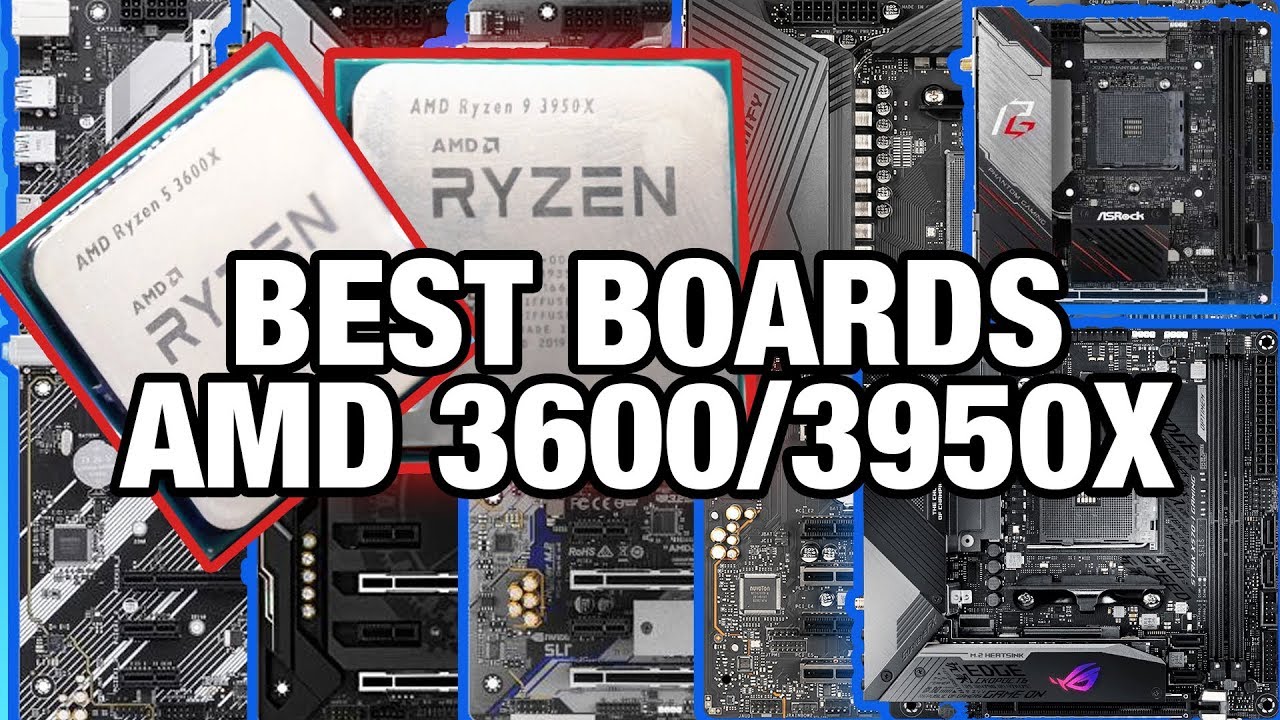
Best Motherboards for AMD Ryzen: R5 3600, R9 3950X & B450, X570, X470
video description
Date: 2020-05-06
Related videos


Comments and reviews: 10
Kernelpickle
I m curious as to the reason you never mention Gigabyte s AORUS x570 Pro WiFi model, which is the one between their Elite and Ultra models in their lineup? I ve had mine since August, and I got a good deal on it when I bought it bundles with my CPU from MicroCenter, and for the price (which was obviously just a little bit more than the Elite. So far I ve been extremely happy with all the features it supports, because it has all of the improved features of the Ultra, without sacrificing much more than a single M. 2 slot. So, for people like myself, that want the latest chipset features (that I d miss out on with an x470, better networking (with Intel LAN, and better audio (allegedly. Sure, the difference in MSRP is another 50-60 but if you re already spending over 200 on a motherboard, you probably want a bunch of high-end features and want THE BEST you can afford, so it s really less about spending 50-60 dollars more (relatively, because the street price varies enough you can get them on sale) and it s more about getting just a little bit more, and NOT spending another 90-100, and saving yourself 30-40 (depending on whether or not you get the Elite or Pro model with built-in WiFi. Personally, I felt like having built-in WiFi (and more importantly BT 5. 0) was a feature well worth another 10. There s no way you could buy an expansion card that does both for that price, and you d easily spend twice that on two separate dongles, which would use up two of your USB ports. When I built my PC, I didn t have Ethernet running to the room that I now use for my office, and even when you overlook the hassle it was to drill through my wall and run the cable, and mount the jack plates I still needed to buy or make a cable long enough to span the distance from my router to my PC, and I didn t already have one that would reach. So; until I had the time (and my wife needed a wired connection for work, due to COVID-19) I was using the WiFi 6 antenna, and it had fantastic reception. Again, the BT 5. 0 support is also pretty huge, because now that all modern phones have dropped the 3: 5mm TRRS, BT headphones are cheap and plentiful which makes going back and forth from using a laptop at work vs my desktop at home a zero compromise experience. It also gives me fun ideas for what I can do with that antenna, now that I have a wired connection in my office. I m thinking that I might use it (thanks to network sharing) as an additional WiFi 6 WAP for that end of my house, which drops off a ton 5Ghz, and only gets mediocre 2. 4Ghz signal (old houses can be a PITA)
reply
I m curious as to the reason you never mention Gigabyte s AORUS x570 Pro WiFi model, which is the one between their Elite and Ultra models in their lineup? I ve had mine since August, and I got a good deal on it when I bought it bundles with my CPU from MicroCenter, and for the price (which was obviously just a little bit more than the Elite. So far I ve been extremely happy with all the features it supports, because it has all of the improved features of the Ultra, without sacrificing much more than a single M. 2 slot. So, for people like myself, that want the latest chipset features (that I d miss out on with an x470, better networking (with Intel LAN, and better audio (allegedly. Sure, the difference in MSRP is another 50-60 but if you re already spending over 200 on a motherboard, you probably want a bunch of high-end features and want THE BEST you can afford, so it s really less about spending 50-60 dollars more (relatively, because the street price varies enough you can get them on sale) and it s more about getting just a little bit more, and NOT spending another 90-100, and saving yourself 30-40 (depending on whether or not you get the Elite or Pro model with built-in WiFi. Personally, I felt like having built-in WiFi (and more importantly BT 5. 0) was a feature well worth another 10. There s no way you could buy an expansion card that does both for that price, and you d easily spend twice that on two separate dongles, which would use up two of your USB ports. When I built my PC, I didn t have Ethernet running to the room that I now use for my office, and even when you overlook the hassle it was to drill through my wall and run the cable, and mount the jack plates I still needed to buy or make a cable long enough to span the distance from my router to my PC, and I didn t already have one that would reach. So; until I had the time (and my wife needed a wired connection for work, due to COVID-19) I was using the WiFi 6 antenna, and it had fantastic reception. Again, the BT 5. 0 support is also pretty huge, because now that all modern phones have dropped the 3: 5mm TRRS, BT headphones are cheap and plentiful which makes going back and forth from using a laptop at work vs my desktop at home a zero compromise experience. It also gives me fun ideas for what I can do with that antenna, now that I have a wired connection in my office. I m thinking that I might use it (thanks to network sharing) as an additional WiFi 6 WAP for that end of my house, which drops off a ton 5Ghz, and only gets mediocre 2. 4Ghz signal (old houses can be a PITA)
reply
Karl
Here in Germany the Mortar is 10 cheaper than the Tomahawk but the Tomahawk has the better VRM cooling solution of the northbridge, which imo is the most important mainboard feature for Ryzen 3000 and overclocking and the upgrade path to 8/12/16 core Ryzen. The Mortar has only 3x 4pin system fan connector (plus 1x 4pin cpu) and Tomahawk has 5x system fan connectors (plus 1x 4pin cpu. Also the Mortar has 5x USB 3. 1 Gen1 and 4x SATA and 2x m. 2 and the Tomahawk has 3x USB 3. 1 Gen1 and 6x SATA and 1x m. 2 and one more PCIe x1 slot. I don't get why MSI is building two mainboards like this in the first place and don't (ffs) combine the best of both worlds and simply make an ATX and a mATX version. Can anyone explain? xD
reply
Here in Germany the Mortar is 10 cheaper than the Tomahawk but the Tomahawk has the better VRM cooling solution of the northbridge, which imo is the most important mainboard feature for Ryzen 3000 and overclocking and the upgrade path to 8/12/16 core Ryzen. The Mortar has only 3x 4pin system fan connector (plus 1x 4pin cpu) and Tomahawk has 5x system fan connectors (plus 1x 4pin cpu. Also the Mortar has 5x USB 3. 1 Gen1 and 4x SATA and 2x m. 2 and the Tomahawk has 3x USB 3. 1 Gen1 and 6x SATA and 1x m. 2 and one more PCIe x1 slot. I don't get why MSI is building two mainboards like this in the first place and don't (ffs) combine the best of both worlds and simply make an ATX and a mATX version. Can anyone explain? xD
reply
ThroneSmasher
ive had a b450 aorus elite with a 2600 and a 3000mhz kit for 1 year now the xmp oc for the ram was easy just presses a button was simple but there are alot of options missing from the bios for the cpu ocing features i mean the cpu has a hyper 212 I am still debating as well weather all core oc is better than letting ryzen do is thing for the most part Ive been getting weird readings of single cores boosting up to 4. 8ghz wich is weird but umm ive x2 chkd with the latest hwmonitor and also cpuz and ryzen master and it shows that cores 0-5 at some point boosted to that frequency so idk if the board is just having to much voltage go to the cpu or its just the ryzen auto oc because of the cooling headroom
reply
ive had a b450 aorus elite with a 2600 and a 3000mhz kit for 1 year now the xmp oc for the ram was easy just presses a button was simple but there are alot of options missing from the bios for the cpu ocing features i mean the cpu has a hyper 212 I am still debating as well weather all core oc is better than letting ryzen do is thing for the most part Ive been getting weird readings of single cores boosting up to 4. 8ghz wich is weird but umm ive x2 chkd with the latest hwmonitor and also cpuz and ryzen master and it shows that cores 0-5 at some point boosted to that frequency so idk if the board is just having to much voltage go to the cpu or its just the ryzen auto oc because of the cooling headroom
reply
Pavle
VRM is something Gamers dont understand, it has to do with electronics, power filtering. Its just LC filter. Its very cheap to make its handful of capacitors and inductors, Hence it can happen that you get the same on high end board and low end one. Back in the day. CPUs used more power and were overclockable, and from those days it remained that if you OC you need good VRM, but modern CPUs dont OC at all. This has to do with Core density, its just too much electronics on one place to overclock it, hence far as VRM goes it make little difference if any. I didnt check this, i just understand electronics so, i might be wrong
reply
VRM is something Gamers dont understand, it has to do with electronics, power filtering. Its just LC filter. Its very cheap to make its handful of capacitors and inductors, Hence it can happen that you get the same on high end board and low end one. Back in the day. CPUs used more power and were overclockable, and from those days it remained that if you OC you need good VRM, but modern CPUs dont OC at all. This has to do with Core density, its just too much electronics on one place to overclock it, hence far as VRM goes it make little difference if any. I didnt check this, i just understand electronics so, i might be wrong
reply
lostie-case
hmm now im confused. about to buy a mobo and cpu in feb 2020, going for anything other/older than x570 seems a bit crazy imo. But, buying for what you need now is probably the best power-to-price compromise you can make. Im willing to wait a bit to see what happens in the gpu market but want to be ready to pair something decent wt a ryzen3600x. Any thoughts on that will be helpfull. Not planning on overclocking, just casual sim-gaming and general virtualbox/docker type stuff. Should i go for x570 or just put half of the money back into pocket and settle for a PCIex3. 0 b450 board?
reply
hmm now im confused. about to buy a mobo and cpu in feb 2020, going for anything other/older than x570 seems a bit crazy imo. But, buying for what you need now is probably the best power-to-price compromise you can make. Im willing to wait a bit to see what happens in the gpu market but want to be ready to pair something decent wt a ryzen3600x. Any thoughts on that will be helpfull. Not planning on overclocking, just casual sim-gaming and general virtualbox/docker type stuff. Should i go for x570 or just put half of the money back into pocket and settle for a PCIex3. 0 b450 board?
reply
Christopher
Doesn't the Virtual Link VR specification depend upon a cable with USB-C on both ends having a higher rating than the type-A ports we're accustomed to? Either throwing it into motherboard I/O is deceptive to allow consumers to assume future proofing, or manufacturers are planning other devices that will utilize the additional bus power instead of requiring an independent AC adapter. Maybe my assumption have just been mislead by incomplete research. Anyone else have any guesses into what purpose putting USB-C ports on motherboards may serve in the near future?
reply
Doesn't the Virtual Link VR specification depend upon a cable with USB-C on both ends having a higher rating than the type-A ports we're accustomed to? Either throwing it into motherboard I/O is deceptive to allow consumers to assume future proofing, or manufacturers are planning other devices that will utilize the additional bus power instead of requiring an independent AC adapter. Maybe my assumption have just been mislead by incomplete research. Anyone else have any guesses into what purpose putting USB-C ports on motherboards may serve in the near future?
reply
Gianmarco
I need some help guys Should I buy the TUF X570-Plus or the AORUS ELITE? I watched a lot of videos but I don't have a very advanced technical background to understand all the features of the board, my main aim is gaming and sometimes video editing. I want to do some overclocking if possible on the CPU, RAM and GPU, my parts would be a Ryzen 3600x, Viper Steel DDR4 3733 C17 (8x2) and an RX 5700 XT (probably Gigabyte Gaming OC 3 fan. Thanks to anyone that can help me figure out what the differences are: D
reply
I need some help guys Should I buy the TUF X570-Plus or the AORUS ELITE? I watched a lot of videos but I don't have a very advanced technical background to understand all the features of the board, my main aim is gaming and sometimes video editing. I want to do some overclocking if possible on the CPU, RAM and GPU, my parts would be a Ryzen 3600x, Viper Steel DDR4 3733 C17 (8x2) and an RX 5700 XT (probably Gigabyte Gaming OC 3 fan. Thanks to anyone that can help me figure out what the differences are: D
reply
Guest
Any chance I could get a professional recommendation for best mobo for 3950x? I'm debating aorus master vs crosshair 8 hero vs Meg Ace/Meg Unify. Though the Aorus extreme looks incredible and the Godlike those seem way too overpriced. Upgrading from a 3930k build from quite a few years ago, and I've usually gone with asus deluxe mobos in the past. I do prefer Asus bios but it looks like the competitors have made some improvements.
reply
Any chance I could get a professional recommendation for best mobo for 3950x? I'm debating aorus master vs crosshair 8 hero vs Meg Ace/Meg Unify. Though the Aorus extreme looks incredible and the Godlike those seem way too overpriced. Upgrading from a 3930k build from quite a few years ago, and I've usually gone with asus deluxe mobos in the past. I do prefer Asus bios but it looks like the competitors have made some improvements.
reply
Artkidtek
Lol I see gamers don t really know what Thunderbolt is or don t really care about it. Most people that review the X570 Master don t even mention the Thunderbolt header. For video editors building a workstation, the Master withTB3 is probably going to be a freaking DEAL BREAKER. But for someone who mostly plays video games they probably don t even know what to do with a thunderbolt 3 port. It s worth mentioning.
reply
Lol I see gamers don t really know what Thunderbolt is or don t really care about it. Most people that review the X570 Master don t even mention the Thunderbolt header. For video editors building a workstation, the Master withTB3 is probably going to be a freaking DEAL BREAKER. But for someone who mostly plays video games they probably don t even know what to do with a thunderbolt 3 port. It s worth mentioning.
reply
Matt
Now, I am not seeing any Good X570 from MSI, but I own a MSI mb for long time and I absolutely love the bios on MSI. I recently just built a PC for a friend, he picked Gigabyte X570 and I figured that the Bios on Gigabyte is absolutely difficult to use. Plus the Asus bios look basically just like Gigabyte. I'm going to stick with MSI for any Builds in the future.
reply
Now, I am not seeing any Good X570 from MSI, but I own a MSI mb for long time and I absolutely love the bios on MSI. I recently just built a PC for a friend, he picked Gigabyte X570 and I figured that the Bios on Gigabyte is absolutely difficult to use. Plus the Asus bios look basically just like Gigabyte. I'm going to stick with MSI for any Builds in the future.
reply
Add a review, comment
Other channel videos