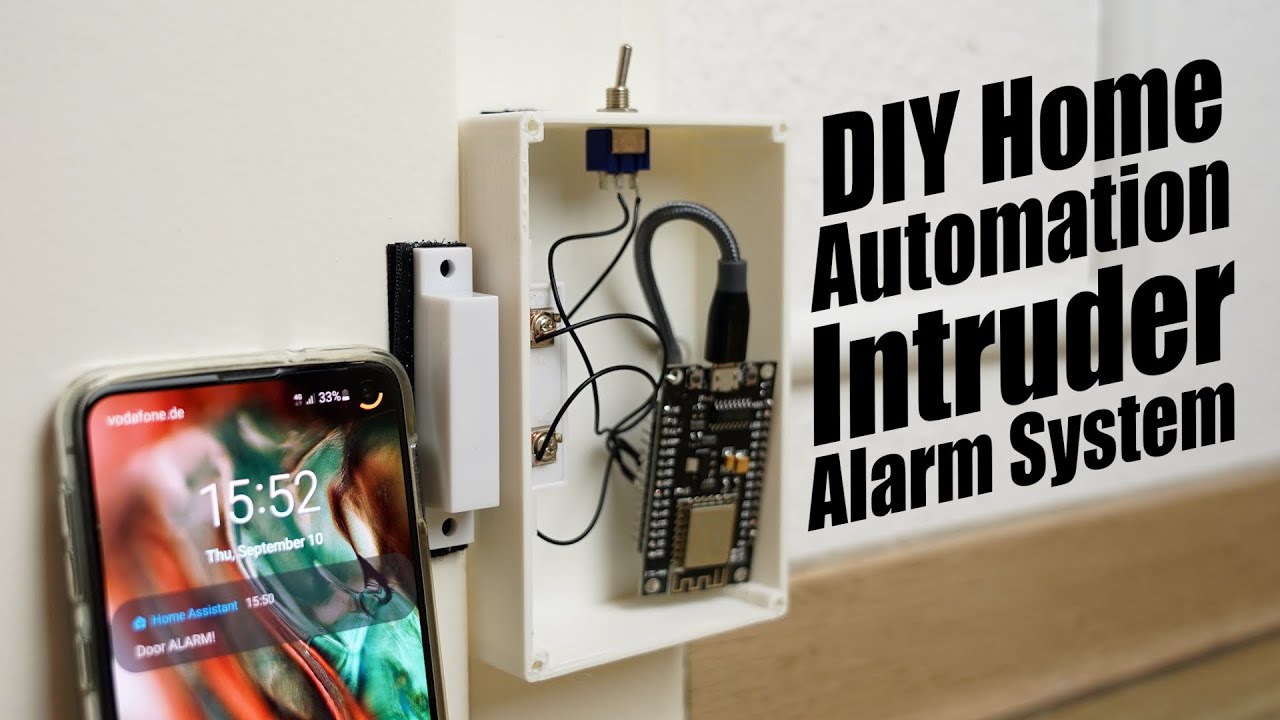
DIY Home Automation Intruder Alarm System! Home Assistant + Raspberry Pi + ESP8266
video description
Date: 2020-09-27
Related videos





Comments and reviews: 10
Mr
The funny (or unfunny) thing about the democratization of WiFi-connected alarm systems, is that it will become super easy for intruders to disable those systems: just jam the WiFi signal (or not even jam, a simple DeAuth attack might work on all those ESP chips, and you're good to go. You can achieve this with a tiny laptop, and probably even with a Raspberry Pi hidden in a pocket or backpack.
I'm really not a big fan of relying on a home internet connection, that is unreliable and can have downtimes, for security reasons.
As a smaller inconvenience, a DeAuth attack can render a home automation system unusable. I love my connected lamps, but I like them even better when I can still use a hardware switch that overrides the software. Basically, if network fails, I want to be able to turn on and off lamps as before. LIFX allows this by default, which is cool.
reply
The funny (or unfunny) thing about the democratization of WiFi-connected alarm systems, is that it will become super easy for intruders to disable those systems: just jam the WiFi signal (or not even jam, a simple DeAuth attack might work on all those ESP chips, and you're good to go. You can achieve this with a tiny laptop, and probably even with a Raspberry Pi hidden in a pocket or backpack.
I'm really not a big fan of relying on a home internet connection, that is unreliable and can have downtimes, for security reasons.
As a smaller inconvenience, a DeAuth attack can render a home automation system unusable. I love my connected lamps, but I like them even better when I can still use a hardware switch that overrides the software. Basically, if network fails, I want to be able to turn on and off lamps as before. LIFX allows this by default, which is cool.
reply
Abdul
Great Scott, please help me out. Im doing a project on an autonomous robot based on fuzzy logic using Arduino. With the fuzzy logic program I can take care of the obstacles coming in front of it, but Im not able to take care of path defining for the robot, meaning im not able to automate the robot to move from one point to another. I request you to please suggest me the best sensor for path defining and also send me the program for the sensor you choose.
reply
Great Scott, please help me out. Im doing a project on an autonomous robot based on fuzzy logic using Arduino. With the fuzzy logic program I can take care of the obstacles coming in front of it, but Im not able to take care of path defining for the robot, meaning im not able to automate the robot to move from one point to another. I request you to please suggest me the best sensor for path defining and also send me the program for the sensor you choose.
reply
Emanuel
#LoveHomeAssistant haveing it since 2 years would not like to live without it anymore
SIDENOTE: When using it a lot think of a good backupsystem since it Fryes the SD Card after a while
I use Google Dirve Backup (hass. io Addon) to do a sceduled config Backup daily and manually do a Full backup before major updates or new playing with the config
reply
#LoveHomeAssistant haveing it since 2 years would not like to live without it anymore
SIDENOTE: When using it a lot think of a good backupsystem since it Fryes the SD Card after a while
I use Google Dirve Backup (hass. io Addon) to do a sceduled config Backup daily and manually do a Full backup before major updates or new playing with the config
reply
Yury
The only problem - that criminal may turn down the power to your home externally, and such simple solution will be disabled. Many professional solutions use backup battery. And of course for the same reason they use cellular connectivity to server outside of the building (since when power is loss - no WiFi and maybe no local Internet.
reply
The only problem - that criminal may turn down the power to your home externally, and such simple solution will be disabled. Many professional solutions use backup battery. And of course for the same reason they use cellular connectivity to server outside of the building (since when power is loss - no WiFi and maybe no local Internet.
reply
Jenz
Hello Scott if your question is DIY or Buy. The answer is both.
Take a Look to the doorcontacts from xiamon. I am shure it the wrong wirten xiamon. Very nice and cheap. As the home system i am using FHEM a German Open Source System. It is supporting most of the Systems world Wide. With a Rasbian it fliying in a PI.
reply
Hello Scott if your question is DIY or Buy. The answer is both.
Take a Look to the doorcontacts from xiamon. I am shure it the wrong wirten xiamon. Very nice and cheap. As the home system i am using FHEM a German Open Source System. It is supporting most of the Systems world Wide. With a Rasbian it fliying in a PI.
reply
ironsniper13
my first DIY home intruder system was just a limit switch attached to the front door which triggered a short audio snippet of me saying Whoops, this isn't your house. let me call the police so they can assist you in finding your own place since you seem lost. followed by a very loud siren.
reply
my first DIY home intruder system was just a limit switch attached to the front door which triggered a short audio snippet of me saying Whoops, this isn't your house. let me call the police so they can assist you in finding your own place since you seem lost. followed by a very loud siren.
reply
Tharani
Thanks to make this home automation video. Its really useful for me. But my thought of view the video and explain of home automation site is quit fast. can you make another home automation video slow and explain each steps pls. Otherwise your videos are awesome! Keep doing and teach us.
reply
Thanks to make this home automation video. Its really useful for me. But my thought of view the video and explain of home automation site is quit fast. can you make another home automation video slow and explain each steps pls. Otherwise your videos are awesome! Keep doing and teach us.
reply
Oscar
I would recommend removing the plug socket for the USB power supply and having the psu recessed into the wall and using a socket cover with flex outlet to power it
as you don't want somebody to break in and just unplug the alarm, even if the message is already sent to your phone
reply
I would recommend removing the plug socket for the USB power supply and having the psu recessed into the wall and using a socket cover with flex outlet to power it
as you don't want somebody to break in and just unplug the alarm, even if the message is already sent to your phone
reply
Bharat
Hello anyone good with html javascript here. I want to make a webpage that contains two buttons and when I click on those buttons I wanted to play sound not on Clint side (browser) but on server side where webpage is hosted. can somebody help me.
reply
Hello anyone good with html javascript here. I want to make a webpage that contains two buttons and when I click on those buttons I wanted to play sound not on Clint side (browser) but on server side where webpage is hosted. can somebody help me.
reply
Nicholas
GreatScott! You have to restart the ESP Home plugin for it to register a change in hardware devices since the update only occurs on process start. It can be a little annoying so I leave a dummy device in the port to keep it active.
reply
GreatScott! You have to restart the ESP Home plugin for it to register a change in hardware devices since the update only occurs on process start. It can be a little annoying so I leave a dummy device in the port to keep it active.
reply
Add a review, comment
Other channel videos