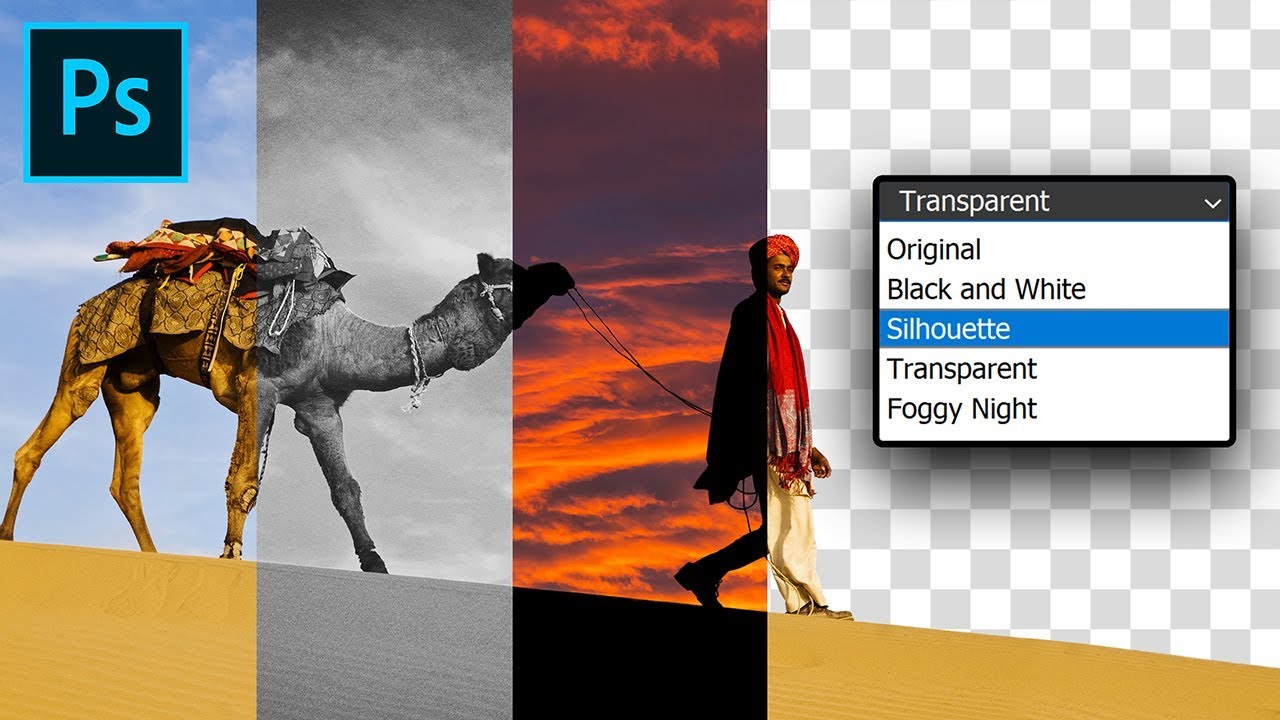
Just One Image File, But Multiple Versions! How?
video description
Date: 2022-07-19
Related videos


Comments and reviews: 20
mesillahills
Something you might want to do a video on. One can actually transfer a keyframe pattern on one layer to another layer and the objects on that different layer will track that original keyframe pattern at a different location. A straight up keyframe copy will not do this. Here's how to do it. Make a New smart object as copy of the original keyframed layer. Then drag the new layer or layers (with no keyframes) into that smart object (after expanding it at a 1 to 1 ratio, and optionally turn off the original layer inside the smart object. Now the dragged in layer(s) will track the original keyframe pattern at a different and totally editable location(s. You will have to turn off the dragged in layers (not inside the smart object) because they go inside the smart object as copies. This is extremely useful and something I always wondered why PS didn't have. I found it the hard way. experimentation.
reply
Something you might want to do a video on. One can actually transfer a keyframe pattern on one layer to another layer and the objects on that different layer will track that original keyframe pattern at a different location. A straight up keyframe copy will not do this. Here's how to do it. Make a New smart object as copy of the original keyframed layer. Then drag the new layer or layers (with no keyframes) into that smart object (after expanding it at a 1 to 1 ratio, and optionally turn off the original layer inside the smart object. Now the dragged in layer(s) will track the original keyframe pattern at a different and totally editable location(s. You will have to turn off the dragged in layers (not inside the smart object) because they go inside the smart object as copies. This is extremely useful and something I always wondered why PS didn't have. I found it the hard way. experimentation.
reply
CASS
Word of Caution: When one is linking a multi comp PSD file to another application document (ex. Indesign) you have to make sure that the link in InDesign is set to Keep Layer Visibility Overrides, which you find through Object > Layer Options in InDesign. If you don't, then whatever layer you turn on/off in Photoshop and save, InDesign will update that link version to something that you may not want. Then again, you may want it to update to the changes in PS in which case you choose Use Photoshop's Layer Visibility.
reply
Word of Caution: When one is linking a multi comp PSD file to another application document (ex. Indesign) you have to make sure that the link in InDesign is set to Keep Layer Visibility Overrides, which you find through Object > Layer Options in InDesign. If you don't, then whatever layer you turn on/off in Photoshop and save, InDesign will update that link version to something that you may not want. Then again, you may want it to update to the changes in PS in which case you choose Use Photoshop's Layer Visibility.
reply
Chaakoraa
Hi so many thanks for your helpful tutorials.
How to get rid of scratch disks error on photoshop?
I recently installed 2020 version of photoshop and when I'm working on a photo it uses almost 100 G of memory and in edit bar in photoshop I chose all of my drives for scratch disks but still it uses all of my space on laptop and I even can not save can not edit.
would you tell a way to decrease the scratch disks amount?
reply
Hi so many thanks for your helpful tutorials.
How to get rid of scratch disks error on photoshop?
I recently installed 2020 version of photoshop and when I'm working on a photo it uses almost 100 G of memory and in edit bar in photoshop I chose all of my drives for scratch disks but still it uses all of my space on laptop and I even can not save can not edit.
would you tell a way to decrease the scratch disks amount?
reply
Satish
Umesh Sir,
Thanks for uploading your great videos.
I feel proud to have you as such a great instructor, guide, teacher, etc etc.
No words to express it.
Only I can say PRANAM GURUJI
Thank You Once Again Sir.
reply
Umesh Sir,
Thanks for uploading your great videos.
I feel proud to have you as such a great instructor, guide, teacher, etc etc.
No words to express it.
Only I can say PRANAM GURUJI
Thank You Once Again Sir.
reply
Marc
Great feature and great video! What misses in my opinion is a short explanation on where this technique is practically useful. Someone please be so kind as for giving a real world example. Many thanks in advance.
reply
Great feature and great video! What misses in my opinion is a short explanation on where this technique is practically useful. Someone please be so kind as for giving a real world example. Many thanks in advance.
reply
Dauda
Bashir all the way from Ghana, your videos are awesome. we will be very glad if u always share the image you used in your videos so that we can try our hands on it too other than using different images
reply
Bashir all the way from Ghana, your videos are awesome. we will be very glad if u always share the image you used in your videos so that we can try our hands on it too other than using different images
reply
Thomas
What is this magic! I had no idea this feature even existed. This will literally come in handy so much for me. I make mockups and often need to switch between versions. Thank you!
reply
What is this magic! I had no idea this feature even existed. This will literally come in handy so much for me. I make mockups and often need to switch between versions. Thank you!
reply
Marc
nice tuto. very useful to test combinations of textures and blend modes.
what is the advantage to use place with link instead of place embedded? to interface with indesign. ?
reply
nice tuto. very useful to test combinations of textures and blend modes.
what is the advantage to use place with link instead of place embedded? to interface with indesign. ?
reply
Darn
had no idea this was possible, but definitely have a need for this! I wonder if this process makes huge files that would crush my poor old computer. I will try today. Thank you!
reply
had no idea this was possible, but definitely have a need for this! I wonder if this process makes huge files that would crush my poor old computer. I will try today. Thank you!
reply
Alon
I just wanted to tell you Unmesh that because of your videos i love photoshop so much and i signed up to a collage and im going to be adobe certified graphics designer
reply
I just wanted to tell you Unmesh that because of your videos i love photoshop so much and i signed up to a collage and im going to be adobe certified graphics designer
reply
DeeZeeX
My computer just died after a photoshop rendering is it a pure coincidence or can photoshop kill a computer if it doesnt work properly?
Please help me
reply
My computer just died after a photoshop rendering is it a pure coincidence or can photoshop kill a computer if it doesnt work properly?
Please help me
reply
Capetoider
That's just what I needed and didn't know about! Thank you very much. I do have on question though: is it possible to print all the comps in one go?
reply
That's just what I needed and didn't know about! Thank you very much. I do have on question though: is it possible to print all the comps in one go?
reply
Franca
Can't believe how SIMPLE and EASY is this software to you. it's amazing your capability a dexterity. thanks and thanks again for what you do for us!
reply
Can't believe how SIMPLE and EASY is this software to you. it's amazing your capability a dexterity. thanks and thanks again for what you do for us!
reply
abnormal
Just wanted to know about thumbnail yes iam noob. dont use photoshop regularly. make vdo or just explain it how you did it. anyone can explain me.
reply
Just wanted to know about thumbnail yes iam noob. dont use photoshop regularly. make vdo or just explain it how you did it. anyone can explain me.
reply
Haneeth
I know where you got the thumbnail idea from!
definitely not from a suitcase company ad with a famous Indian cricketer!
love you Unmesh!
reply
I know where you got the thumbnail idea from!
definitely not from a suitcase company ad with a famous Indian cricketer!
love you Unmesh!
reply
PUBG
hey bro thanx for amazing things like that, but please take as a feedback you need to make a new video on this and explain from start. thank you
reply
hey bro thanx for amazing things like that, but please take as a feedback you need to make a new video on this and explain from start. thank you
reply
jazzbeaunola
Unmesh, have you or would you consider a video on how to employ the Orton Effect without lapsing into the realm of bad taste? Thanks!
reply
Unmesh, have you or would you consider a video on how to employ the Orton Effect without lapsing into the realm of bad taste? Thanks!
reply
Mini
This is just one of the most useful things I saw in a long time that Photoshop is able to achieve.
Mindblowing tutorial as always!
reply
This is just one of the most useful things I saw in a long time that Photoshop is able to achieve.
Mindblowing tutorial as always!
reply
Timor
Didn't know it was possible, thanks! is it possible to see the different version from lightroom as well? and not open each file
reply
Didn't know it was possible, thanks! is it possible to see the different version from lightroom as well? and not open each file
reply
bartmanstl
I have used Layer Comps many times but never in this manner. Thanks for showing me a new way Unmesh! Youre the best.
reply
I have used Layer Comps many times but never in this manner. Thanks for showing me a new way Unmesh! Youre the best.
reply
Add a review, comment
Other channel videos