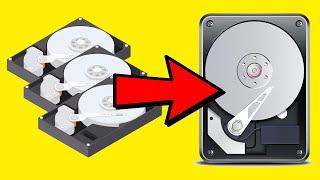
How to Repair a Broken RAID1 Mirrored Volume in Windows - OnlineComputerTips
video description
Date: 2022-03-31
Related videos


Comments and reviews: 2
Silviu
Hi. Quite concise. My case is the drives lost the mirroring. They both show Dynamic Online Healthy in Disk Management, but they display like two drives in Explorer, not one as they use to. This occured at a wierd system failure, PC restarted and RAID 1 no more. Both drives look OK in HDD Control. Is there any way to pair them back without deleting partitions, please? (Both show Add Mirror options greyed out)
reply
Hi. Quite concise. My case is the drives lost the mirroring. They both show Dynamic Online Healthy in Disk Management, but they display like two drives in Explorer, not one as they use to. This occured at a wierd system failure, PC restarted and RAID 1 no more. Both drives look OK in HDD Control. Is there any way to pair them back without deleting partitions, please? (Both show Add Mirror options greyed out)
reply
Roc
I've build a raid 1 array on an older machine. If I stick those two drives in a new machine and attempt to rebuild the array will the data be lost? Do I need the original windows install? How do I ensure my array stays intact when transferring to a new computer?
reply
I've build a raid 1 array on an older machine. If I stick those two drives in a new machine and attempt to rebuild the array will the data be lost? Do I need the original windows install? How do I ensure my array stays intact when transferring to a new computer?
reply
Add a review, comment
Other channel videos