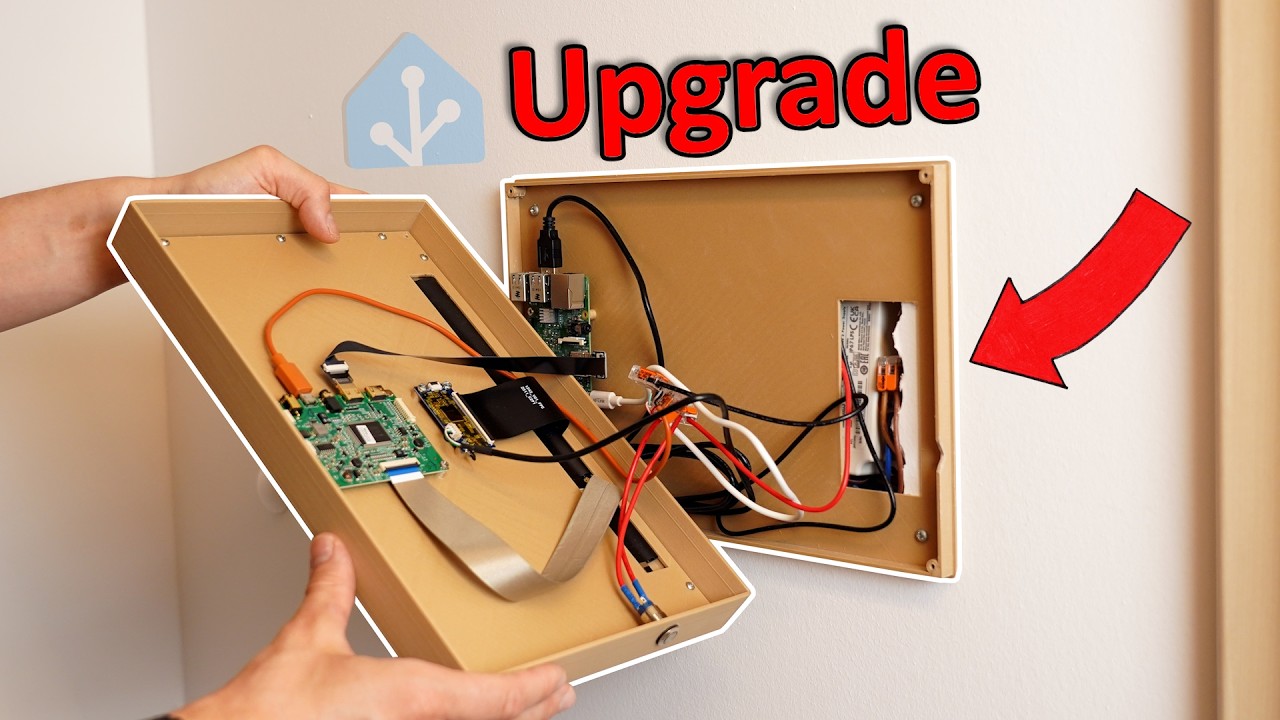
Every Home needs this Upgrade! (Control EVERYTHING)
video description
Date: 2024-06-02
Related videos


Comments and reviews: 20
user-ko9qy5st9i
I've built something similar wit a pi 4 and the official touchscreen. It's a small dashboard that sits on my desk to control all audio applications of my PC and even functions partly similar to a stream deck (In the sense of having some shortcuts to applications and functions.
I also have a small suggestion for this project, since I've used RPi's mostly for such embedded applications like in a kiosk mode: turn on the Overlay Filesystem in raspi-config under Performance if you haven't already to make the SD-card last much longer (It makes the SD-Card read-only, which would be ideal for such a kiosk system since you don't save anything on it. Technically speaking the option overlays the RAM of the pi over the read-only SD-Card, so all changes made to it are kept in RAM. If you want changes to saved to the SD-Card again, just disable the Overlay Filesystem and reboot. .
reply
I've built something similar wit a pi 4 and the official touchscreen. It's a small dashboard that sits on my desk to control all audio applications of my PC and even functions partly similar to a stream deck (In the sense of having some shortcuts to applications and functions.
I also have a small suggestion for this project, since I've used RPi's mostly for such embedded applications like in a kiosk mode: turn on the Overlay Filesystem in raspi-config under Performance if you haven't already to make the SD-card last much longer (It makes the SD-Card read-only, which would be ideal for such a kiosk system since you don't save anything on it. Technically speaking the option overlays the RAM of the pi over the read-only SD-Card, so all changes made to it are kept in RAM. If you want changes to saved to the SD-Card again, just disable the Overlay Filesystem and reboot. .
reply
pn8902
wait so you spent 134 on the screen, when you could have used a tablet that looks so much better and costs less Man this is not a good video, I really recommend you or anyone watching this video go the tablet way, then create a wall mount however you like. I am making one right now which is magnet based, that is the easy part, I am then integrating a wireless charger and locking mechanism so the tablet cant be taken off the wall.
If you can create another version of this that would be great, at least the wall mounting and charging issue because every solution ive seen needs the tablet to be plugged in and you end up having the huge connector and wire sticking out the side.
Another charging solution can be those flexible pcb's with a usb-c connector on the end, this is extremely low profile and a very viable option if you don't want to remove the tablet from the wall
reply
wait so you spent 134 on the screen, when you could have used a tablet that looks so much better and costs less Man this is not a good video, I really recommend you or anyone watching this video go the tablet way, then create a wall mount however you like. I am making one right now which is magnet based, that is the easy part, I am then integrating a wireless charger and locking mechanism so the tablet cant be taken off the wall.
If you can create another version of this that would be great, at least the wall mounting and charging issue because every solution ive seen needs the tablet to be plugged in and you end up having the huge connector and wire sticking out the side.
Another charging solution can be those flexible pcb's with a usb-c connector on the end, this is extremely low profile and a very viable option if you don't want to remove the tablet from the wall
reply
walker1054
I know it's all been said but I was expecting it to be a lot more responsive than a $200 tablet(even a $100 2023 Fire HD 10) or at least have more features on the interface. When you scrolled on the screen it was so laggy. Every section of the video I was thinking whyyy. Can't even use the power consumption reasoning, it looks like it was using around 10watts which is nothing but thats no less than an Ipad, even my Ryzen 7 laptop dips below 10 watts sometimes. I just feel like this isn't going to get people into Home Assistant and would put many people off of it if anything. I can see the coolness factor of doing your own custom thing and wouldn't bother commenting if its just that, but the video is presented as every home needs this which isn't true.
reply
I know it's all been said but I was expecting it to be a lot more responsive than a $200 tablet(even a $100 2023 Fire HD 10) or at least have more features on the interface. When you scrolled on the screen it was so laggy. Every section of the video I was thinking whyyy. Can't even use the power consumption reasoning, it looks like it was using around 10watts which is nothing but thats no less than an Ipad, even my Ryzen 7 laptop dips below 10 watts sometimes. I just feel like this isn't going to get people into Home Assistant and would put many people off of it if anything. I can see the coolness factor of doing your own custom thing and wouldn't bother commenting if its just that, but the video is presented as every home needs this which isn't true.
reply
greatscott
Hi Scott, very entertaining video. I use a 150 10, 5 tablet for this purpose. It's not fixed on the wall so i can use it for another purposes also and i use fully kiosk browser.
This is another alternative. A good way to recycle an older raspberry pi's. I'm also a Home Assistant fan, i love it.
Do you heard about OpenHasp I'm using some Guition ESP32-S3-4848S040 devices to control every device on my rooms. Each one cost around 30 and it include an ESP32-S3 and a 4 inches display. This is another alternative to the sonoff nspanel and the expensive nspanel pro.
I love this kind of videos, the community needs people like you to improve the experience with home assistant. Congratulations!
reply
Hi Scott, very entertaining video. I use a 150 10, 5 tablet for this purpose. It's not fixed on the wall so i can use it for another purposes also and i use fully kiosk browser.
This is another alternative. A good way to recycle an older raspberry pi's. I'm also a Home Assistant fan, i love it.
Do you heard about OpenHasp I'm using some Guition ESP32-S3-4848S040 devices to control every device on my rooms. Each one cost around 30 and it include an ESP32-S3 and a 4 inches display. This is another alternative to the sonoff nspanel and the expensive nspanel pro.
I love this kind of videos, the community needs people like you to improve the experience with home assistant. Congratulations!
reply
kojocisco
Total overkill. I undestand opinions about beauty of diy. BUT most of you get it wrong. The purpose of diy is to make something that otherwise is hard to come by/too expensive/you want to combine certain functions from couple different diveces or you simply want to tune something. Scotts purpose was to have kiosk. He could, so he did it the way he did. Like always, being able to do something doesnt mean one should. So saying that this kind of job is waste of potenscial makes no sense to me.
Edit: I also have HA but never ever tought of geting kiosk. When I'm at home, 99% of using HA is via the pc. The only thing I do remotely is wake on lan to turn on pc. So I dont thing every home needs it.
reply
Total overkill. I undestand opinions about beauty of diy. BUT most of you get it wrong. The purpose of diy is to make something that otherwise is hard to come by/too expensive/you want to combine certain functions from couple different diveces or you simply want to tune something. Scotts purpose was to have kiosk. He could, so he did it the way he did. Like always, being able to do something doesnt mean one should. So saying that this kind of job is waste of potenscial makes no sense to me.
Edit: I also have HA but never ever tought of geting kiosk. When I'm at home, 99% of using HA is via the pc. The only thing I do remotely is wake on lan to turn on pc. So I dont thing every home needs it.
reply
Nobe_Oddy
this is the CORRECT WAY to make your home smart and NOT with a RING doorbell and cameras! (they AUTOMATICALLY OPT-IN to SHARING YOUR CAMERA'S WITH THE POLICE here in the States) Yes, you read that CORRECTLY! unless you CHANGE YOUR SETTINGS, Ring AURTOMATICALLY SHARES YOUR CAMERA WITH THE POLICE AND DOES NOT TELL YOU WHEN THEY DO SO! PLUS they AUTOMATICALLY CONNECT to ALL THEO THER Ring Doorbell's & Cameras near you!
PLUS who want's their DOORBELL and CAMERAS to ONLY WORK WHEN YOUR INTERNET WORKS! Even if they are battery powered, you cannot look at your camera's if the internet goes down. What a SMART WAY TO KEEP HOMES SAFE!
reply
this is the CORRECT WAY to make your home smart and NOT with a RING doorbell and cameras! (they AUTOMATICALLY OPT-IN to SHARING YOUR CAMERA'S WITH THE POLICE here in the States) Yes, you read that CORRECTLY! unless you CHANGE YOUR SETTINGS, Ring AURTOMATICALLY SHARES YOUR CAMERA WITH THE POLICE AND DOES NOT TELL YOU WHEN THEY DO SO! PLUS they AUTOMATICALLY CONNECT to ALL THEO THER Ring Doorbell's & Cameras near you!
PLUS who want's their DOORBELL and CAMERAS to ONLY WORK WHEN YOUR INTERNET WORKS! Even if they are battery powered, you cannot look at your camera's if the internet goes down. What a SMART WAY TO KEEP HOMES SAFE!
reply
thewebmachine
I've been rocking HA for years now. However, as nice as this end result could be, I have to agree that purchasing a US$110-120 (on sale) Samsung Tab A7 Lite and printing a wall mount case for it is far less hassle and cheaper. With Samsung's battery protect mode on to cap charge at 85%, you don't have to worry about the battery runaway/fire issues that might crop up with other wall mounted tablets and phones.
Besides, a full-on Pi just to display a browser page is pretty serious waste of a Pi. Did you consider modifying the HA install on the Pi and running the display off the same unit
reply
I've been rocking HA for years now. However, as nice as this end result could be, I have to agree that purchasing a US$110-120 (on sale) Samsung Tab A7 Lite and printing a wall mount case for it is far less hassle and cheaper. With Samsung's battery protect mode on to cap charge at 85%, you don't have to worry about the battery runaway/fire issues that might crop up with other wall mounted tablets and phones.
Besides, a full-on Pi just to display a browser page is pretty serious waste of a Pi. Did you consider modifying the HA install on the Pi and running the display off the same unit
reply
Clawthorne
While the setup is really cool, but if you're just running a browser via kiosk mode anyway, a tablet seems like a more reasonable solution. Since it too has a browser.
Then again that might be a cool future video; How to set up a cheap aliexpress tablet with a custom rom of android or even linux and make it auto-launch a browser on boot for the ultimate sleek home assistant screen. Could even show how to solder cables inside of it, so you don't have to have a bulky usb plug connected all the time.
reply
While the setup is really cool, but if you're just running a browser via kiosk mode anyway, a tablet seems like a more reasonable solution. Since it too has a browser.
Then again that might be a cool future video; How to set up a cheap aliexpress tablet with a custom rom of android or even linux and make it auto-launch a browser on boot for the ultimate sleek home assistant screen. Could even show how to solder cables inside of it, so you don't have to have a bulky usb plug connected all the time.
reply
ProtonOne11
I agree with the tablet option. Sure, it's nice to find a purpose for that old Raspberry Pi he already had. Put power efficiency seems awful, the cost is very high, and it took a lot of effort. I'd rather have a tablet with a simple wall bracket that i can move where ever it's most convenient to use. And i'm pretty sure most of the time when adding components or changing settings you would rather do it sitting in the living room or from your desktop PC, and not on a touchpanel on a wall anyway.
reply
I agree with the tablet option. Sure, it's nice to find a purpose for that old Raspberry Pi he already had. Put power efficiency seems awful, the cost is very high, and it took a lot of effort. I'd rather have a tablet with a simple wall bracket that i can move where ever it's most convenient to use. And i'm pretty sure most of the time when adding components or changing settings you would rather do it sitting in the living room or from your desktop PC, and not on a touchpanel on a wall anyway.
reply
Destigive
Of course, as full diy solution its pretty good. For me when i just wanted it to be cheap i used my old tablet. Added micro usb to female usbC adapter so i could use any charger i had. Have it in one place almost all the time with small printed stand. I spend maybe 15$ (could be 20$ if i didn't had charger) so for me that was way better solution and more practical. Battery is still good so i could caery it around, use almost no power and can even turn off screen if i want
reply
Of course, as full diy solution its pretty good. For me when i just wanted it to be cheap i used my old tablet. Added micro usb to female usbC adapter so i could use any charger i had. Have it in one place almost all the time with small printed stand. I spend maybe 15$ (could be 20$ if i didn't had charger) so for me that was way better solution and more practical. Battery is still good so i could caery it around, use almost no power and can even turn off screen if i want
reply
EpicLPer
Honestly, not making too much sense to spend a combined 200 for the Pi, Screen and PSU to create a Kiosk. A used, 6 year old Android tablet would have done everything and would probably at best cost you 50 max, and essentially free if you found one by chance on a dumpster. On top you have a camera and microphones on it which you could integrate into HAss, and also less power draw than the Pi and screen combined.
All in all not a bad project tho.
reply
Honestly, not making too much sense to spend a combined 200 for the Pi, Screen and PSU to create a Kiosk. A used, 6 year old Android tablet would have done everything and would probably at best cost you 50 max, and essentially free if you found one by chance on a dumpster. On top you have a camera and microphones on it which you could integrate into HAss, and also less power draw than the Pi and screen combined.
All in all not a bad project tho.
reply
MatSmithLondon
Please can you tell me the manufacturer of those electric metal blinds you have The ones with perforations so that they are either fully blackout, or when they lift up slightly the little holes let diffused light in I have only seen these in Germany, France, and Hungary, and I've never been able to source them here in the UK. We have electric metal blinds, but not this specific design. I would be very grateful for any info you have at all!
reply
Please can you tell me the manufacturer of those electric metal blinds you have The ones with perforations so that they are either fully blackout, or when they lift up slightly the little holes let diffused light in I have only seen these in Germany, France, and Hungary, and I've never been able to source them here in the UK. We have electric metal blinds, but not this specific design. I would be very grateful for any info you have at all!
reply
OJovemFilosofo
Hey, can someone help me find a 12V DC UPS module that can output around 10 - 15A It needs to be 100% uninterruptible so my minipc won't restart itself. Thanks for your help in advance.
More details:
input1: Battery (14V)
input2: DC power supply (12V)
output: Voltage regulator (to 19V) -> minipc (19V)
Voltage regulator (to 12V) -> 12 x servos (12V)
reply
Hey, can someone help me find a 12V DC UPS module that can output around 10 - 15A It needs to be 100% uninterruptible so my minipc won't restart itself. Thanks for your help in advance.
More details:
input1: Battery (14V)
input2: DC power supply (12V)
output: Voltage regulator (to 19V) -> minipc (19V)
Voltage regulator (to 12V) -> 12 x servos (12V)
reply
EdHarrisonMusic
My personal philosophy is to use computer technology for the things which cannot be done without it. When it comes to the basic features of a home, it keeps things simpler and more robust to keep software and computer technology removed from the equation. Giving internet-enabled software control over features of your home creates an unnecessary security and privacy vulnerability.
reply
My personal philosophy is to use computer technology for the things which cannot be done without it. When it comes to the basic features of a home, it keeps things simpler and more robust to keep software and computer technology removed from the equation. Giving internet-enabled software control over features of your home creates an unnecessary security and privacy vulnerability.
reply
AroPix
My homeserver is just a Dell Latitude 5290 (Convertible tablet, that uses Sway to run a headless Chrome Browser loading a customized Homeassistant dashboard. After a few seconds the screen goes off and just tapping again turns it on, works excellent. :)
Also pressing the volume up key runs a script to switch to the Klipper WebUI so i can monitor and control my 3D printer. :)
reply
My homeserver is just a Dell Latitude 5290 (Convertible tablet, that uses Sway to run a headless Chrome Browser loading a customized Homeassistant dashboard. After a few seconds the screen goes off and just tapping again turns it on, works excellent. :)
Also pressing the volume up key runs a script to switch to the Klipper WebUI so i can monitor and control my 3D printer. :)
reply
tontontutus
I went that route too, using a Pi 3B along with a 14 display with touchscreen. But I'm really disappointed with the responsiveness of that setup.
I'm thining about using the Pi as a VDI Proxmox client, it might improve te performances.
Also the price point of a Pi and a touchscreen is pretty high compare to a tablet, that's something to keep in mind.
reply
I went that route too, using a Pi 3B along with a 14 display with touchscreen. But I'm really disappointed with the responsiveness of that setup.
I'm thining about using the Pi as a VDI Proxmox client, it might improve te performances.
Also the price point of a Pi and a touchscreen is pretty high compare to a tablet, that's something to keep in mind.
reply
steve-adams
I’m a bit surprised by the number of people saying just use a tablet’. The DIY solution means you can swap parts indefinitely. Nicer display in five years, raspberry pi 6 swapped in when the 4 dies or can’t handle HA anymore, upgrade the enclosure, etc. If you want to keep using this thing for a long time, this approach is far better in my opinion.
reply
I’m a bit surprised by the number of people saying just use a tablet’. The DIY solution means you can swap parts indefinitely. Nicer display in five years, raspberry pi 6 swapped in when the 4 dies or can’t handle HA anymore, upgrade the enclosure, etc. If you want to keep using this thing for a long time, this approach is far better in my opinion.
reply
DEVAXTATOR-1
so 130 euros plus raspberry plus drilling plus everything man i got a Samsung tab s 10. 1 or dirt cheap 40 euros or get one of those 10. 1 chuwi or something a lot of tablet for 80 euros. but ok it is for the project but man your wife is more forgiving than mine that would not in a million years slide. it has to have WAF. wife approval factor or else.
reply
so 130 euros plus raspberry plus drilling plus everything man i got a Samsung tab s 10. 1 or dirt cheap 40 euros or get one of those 10. 1 chuwi or something a lot of tablet for 80 euros. but ok it is for the project but man your wife is more forgiving than mine that would not in a million years slide. it has to have WAF. wife approval factor or else.
reply
SentryGaming275
Why is using a phone to control a smart home a hassle It's literally a small device that basically everyone has, it fits in your pocket, you can take it anywhere you want, therefore giving you the ability to control you house outside, and building a complex system like this is the real hassle, not to mention it costs a bit of money.
reply
Why is using a phone to control a smart home a hassle It's literally a small device that basically everyone has, it fits in your pocket, you can take it anywhere you want, therefore giving you the ability to control you house outside, and building a complex system like this is the real hassle, not to mention it costs a bit of money.
reply
OldCurmudgeon3DP
Great video. I'd probably never get WAF high enough to allow a screen on/in a wall though.
What I want to do is DIY my own HVAC control w/ touchscreen. I have most of the parts and already written the ESP32 code. Custom PCB is in the works.
I'm so sick of glitchy and/or limited OEM solutions that cost $ hundreds.
reply
Great video. I'd probably never get WAF high enough to allow a screen on/in a wall though.
What I want to do is DIY my own HVAC control w/ touchscreen. I have most of the parts and already written the ESP32 code. Custom PCB is in the works.
I'm so sick of glitchy and/or limited OEM solutions that cost $ hundreds.
reply
Add a review, comment
Other channel videos